Official
Check the airdrop amount
Rewards
$WAL
Rating
4.4 (7)
Projects
Walrus
Funds $140M


Tasks
Estimated time
The estimated time is calculated based on information from experienced airdrop event participants.
1minute
Estimated cost
Free
※ Required items: Sui Wallet
1. Check the airdrop amount
(1) Go to the Sui Wallet that participated in the Walrus airdrop mission
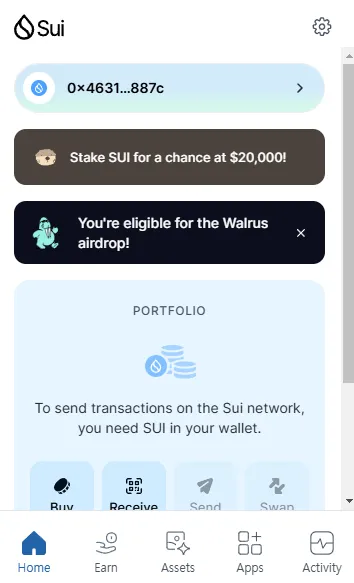
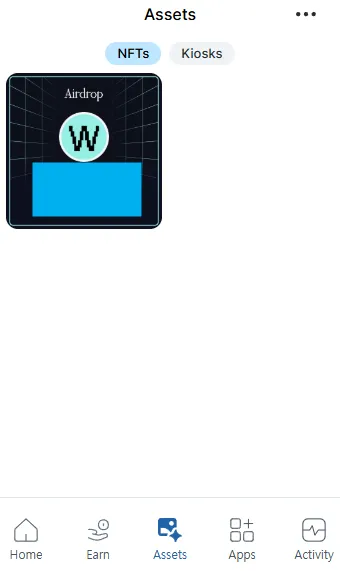
(2) Go to the 'Assets' tab at the bottom and check the amount written on the received NFT
Disclaimer
- Please note that airdrop rewards are issued by individual projects, not CoinNess.
- Be aware of phishing risks when connecting decentralized wallets and using social media accounts.
- Airdrop details, including the number of tokens distributed, schedule, and rewards, may be changed at any time by the project.
- A "potential airdrop" indicates that a project is likely to conduct an airdrop, though no specific plans have been announced yet.
Leave a participation record and view it in My Airdrops
Record participation
Started or completed a mission? Leave a participation record.
