Deposit asset
Potential Airdrop
5.0 (5)
Projects
Meteora
Funds Not Disclosed


Tasks
Estimated time
The estimated time is calculated based on information from experienced airdrop event participants.
20minute
Estimated cost
>$50
※ Preparation: Phantom Wallet
1. Deposit asset
(1) Move to the 👉Meteora website👈
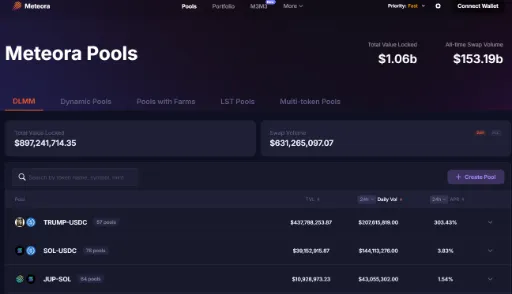
(2) Login via wallet connection
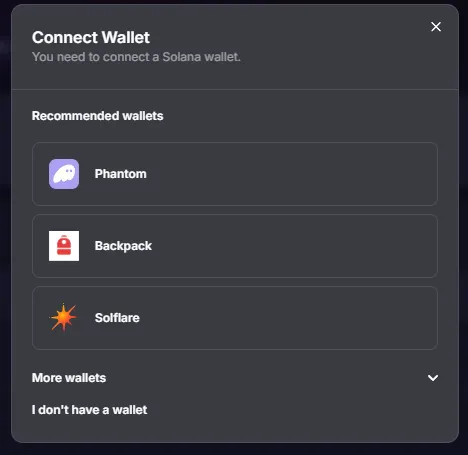
(3) “Dynamic Pools”, “Pools with Farms”, “LST Pools”, “Multi-Token Pools”

(4) After selecting the desired pool and click on the relevant pool

(5) After entering the asset, deposit in the liquidity pool

(6) LP token withdrawal in proportion to the deposited asset quantity
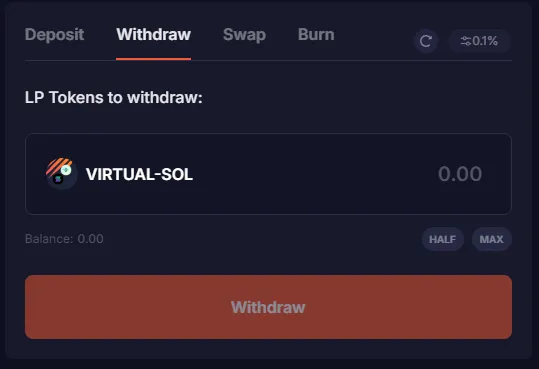
(7) Move to Meteora 👉'LP FARMS'👈
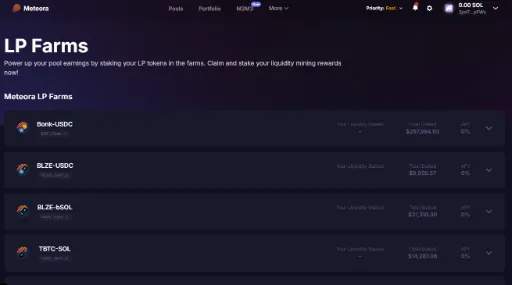
(8) Find the LP pool to deposit and click

(9) Deposit LP tokens and obtain compensation
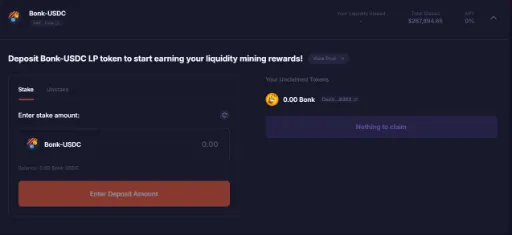
※ The liquidity provide (LP) refers to a form of supplying two assets to the grass, unlike general asset deposits.
※ The assets to be used for liquid supply should be held in the wallet to be connected.
※ The LP token, which will be received after liquidity supply, is possible in return for liquid supply.
Disclaimer
- Please note that airdrop rewards are issued by individual projects, not CoinNess.
- Be aware of phishing risks when connecting decentralized wallets and using social media accounts.
- Airdrop details, including the number of tokens distributed, schedule, and rewards, may be changed at any time by the project.
- A "potential airdrop" indicates that a project is likely to conduct an airdrop, though no specific plans have been announced yet.
Record participation
Started or completed a mission? Leave a participation record.
