What is a Post-Only Order?
A Post-Only order is a limit order designed to ensure that it is added to the order book as a "maker" rather than executed immediately as a "taker".
Orders that cross the spread and would execute immediately are automatically canceled to preserve maker status. This mechanism guarantees that the trader only pays maker fees and contributes to market liquidity.
Features
• A standard Limit Order may execute immediately or remain pending in the order book, depending on market conditions and the specified price.
• A Post-Only Order is designed to ensure that the order adds liquidity to the market by entering the order book without immediate execution.
◦Such orders will only be registered in the order book and not executed upon placement.
◦If the specified limit price is set in a way that would result in immediate execution, the system will automatically cancel the order to maintain its post-only status.
• This feature is particularly beneficial for users seeking to qualify for maker fee discounts, as it ensures the order contributes liquidity to the market rather than removing it.
💡Example of a Post-Only order
• Current Ask Price: 70,000 USDT
• If a user submits a post-only buy (long) order at 70,000 USDT, the order will be automatically canceled because it is likely to be executed immediately, which violates the post-only condition.
• If a user submits a post-only buy (long) order at 69,900 USDT, the order will be successfully placed in the order book and remain pending until it can be filled under post-only criteria.
How to open a Post-Only Order?
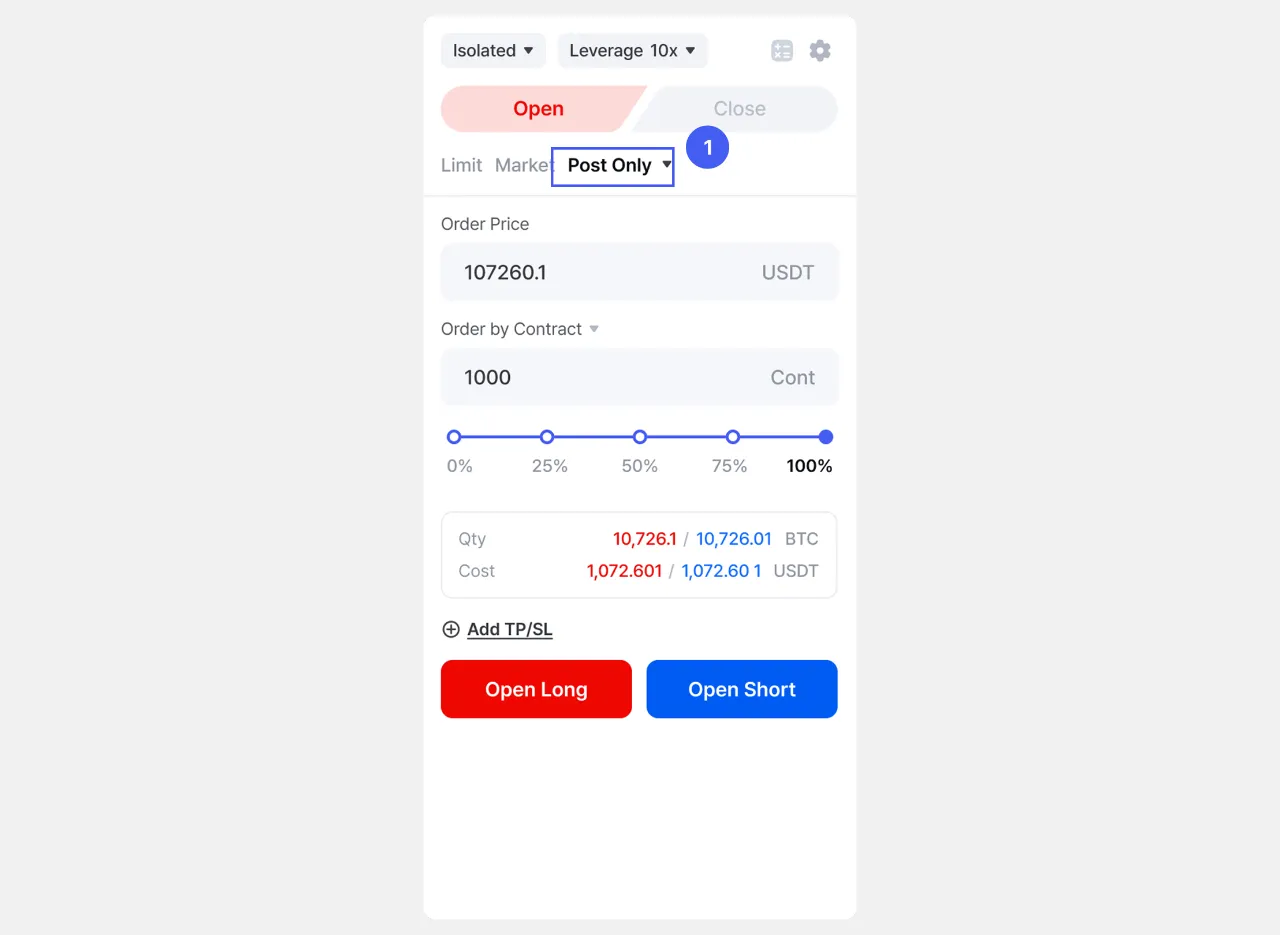
1. On [Futures] page, go to the order panel and select Post Only as the order type.
 2. Set how you want to hold the position by selecting Position Mode.
3. Set the Margin Mode to manage the risk of your position.
4. Set the leverage to use.
5. Enter the price at which you want the order to be filled (Order Price).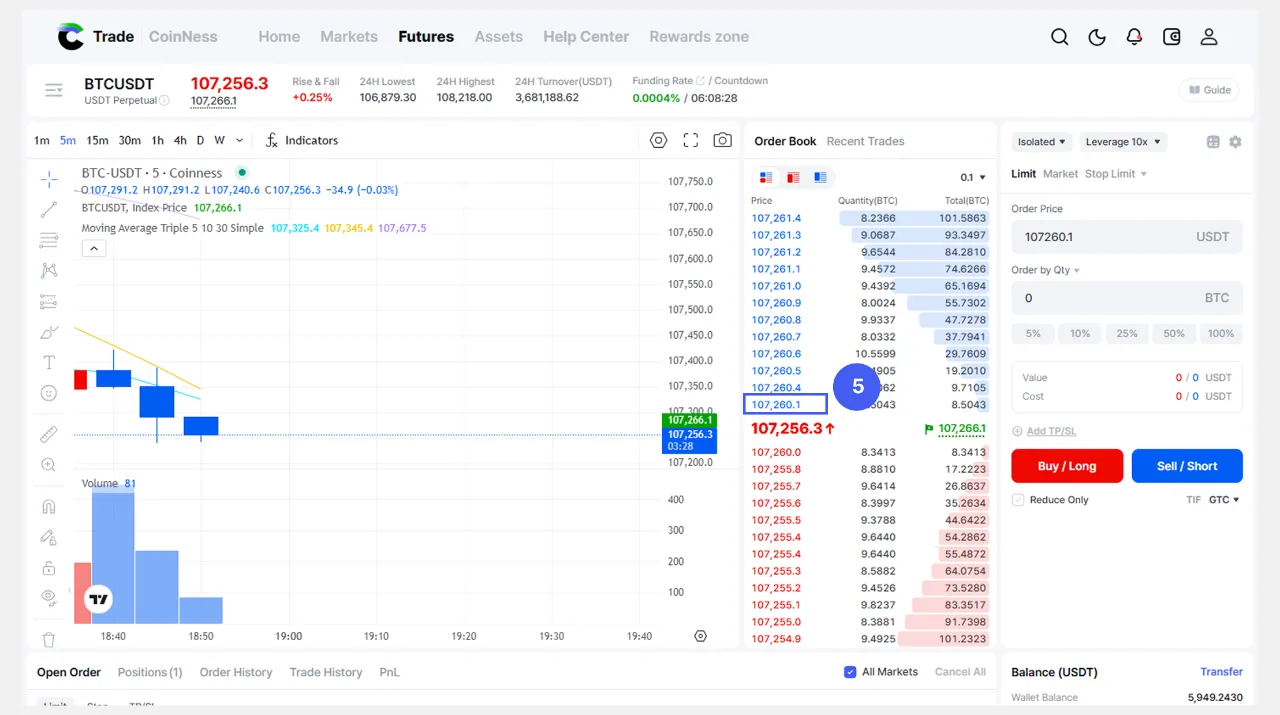
💡Tap the desired price in the order book and it will be applied directly to the order window for your convenience.
|
6. Enter the Order Quantity
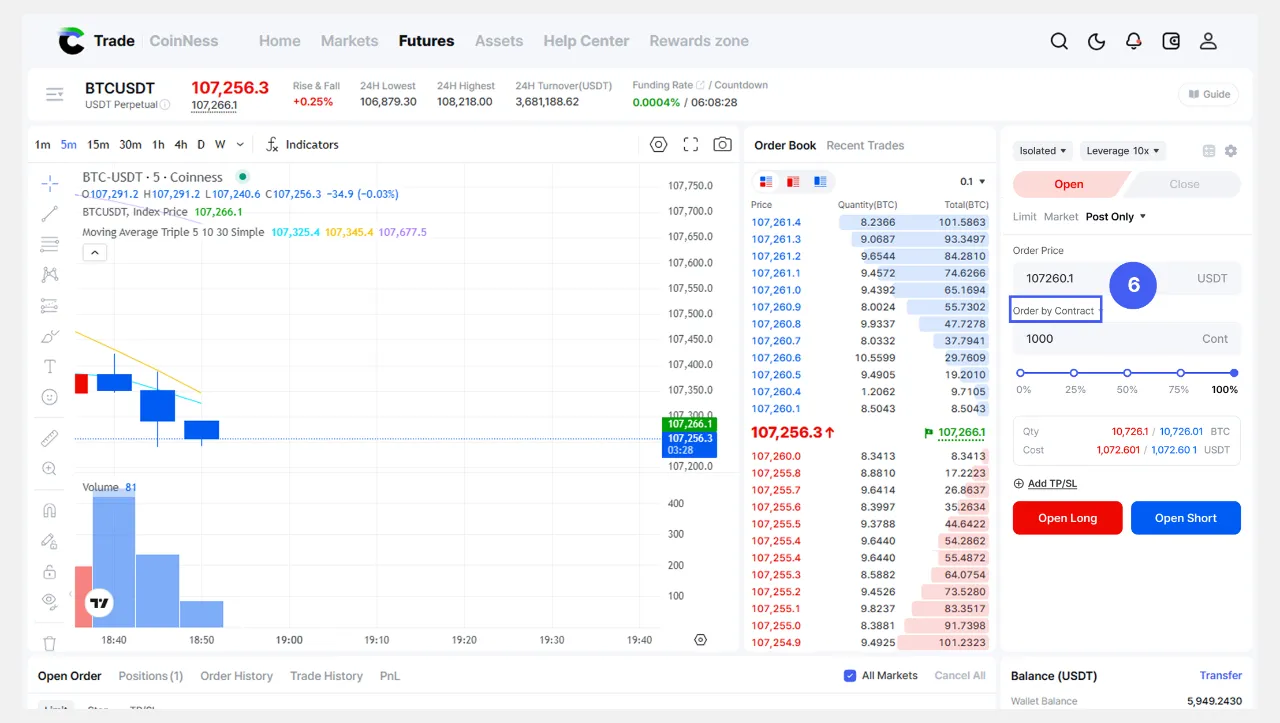 You can specify the order quantity in one of the following units: coins, USDT, or contracts.
• Order by Qty
Enter the amount of cryptocurrency (e.g., 0.01 BTC).
• Order by Value
Enter the total value of your order in USDT (e.g., 1,000 USDT).
• Order by Contracts
Enter the quantity in contract units (e.g., 10 Contracts).
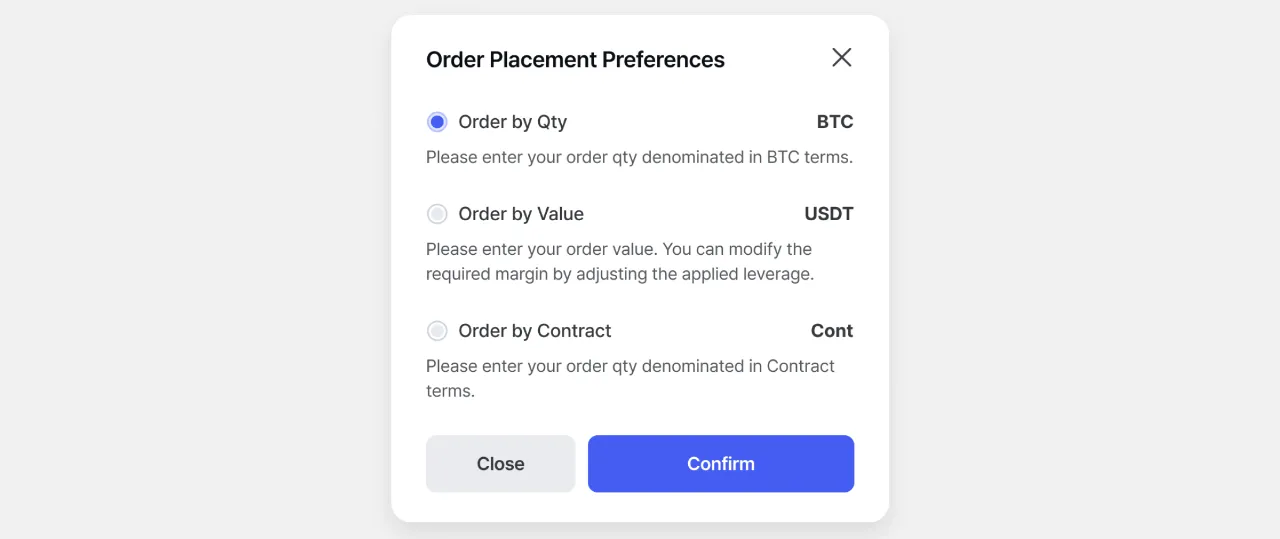
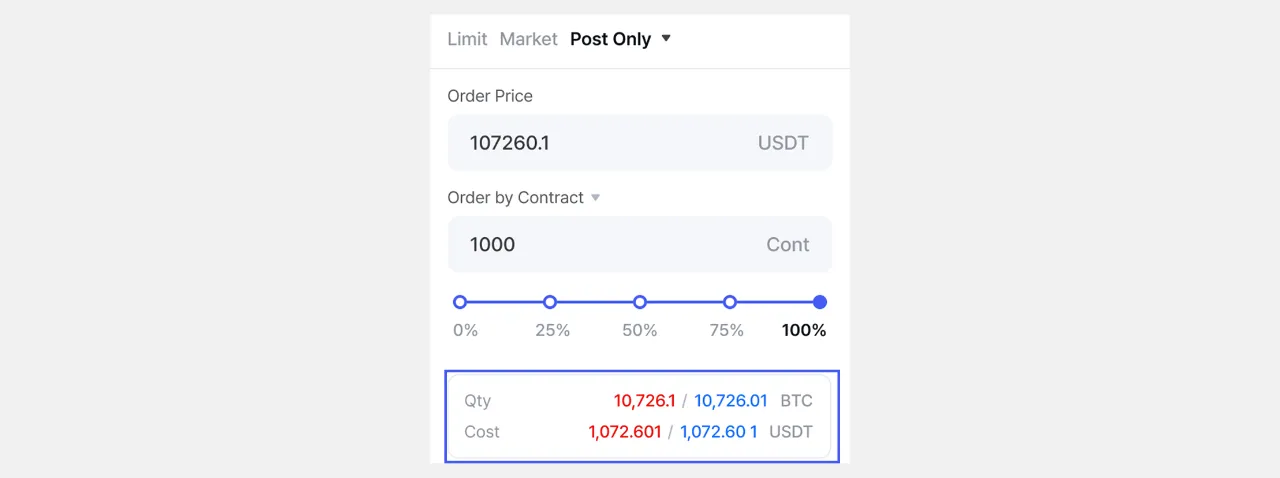
💡Depending on the input method you choose, the order quantity and margin are automatically calculated and displayed.
• Quantity/Value (Order Quantity) ◦ View the converted value of the order quantity you entered. ◦ Example: If you entered a quantity in USDT, see the value converted to BTC • Cost (Margin) ◦ Check the margin that will be used to enter the position.
⚠️Please note that the figures shown are estimates for reference only and may differ from the actual amount, so please be careful when trading.
|
7. Select the direction of the position.
• Open Long
◦ Select Long when you expect the price to increase.
• Open Short
◦ Select Short to sell when you expect the price to fall.
📄 Related Articles
→ How to change Position Mode?