How to check Futures Assets?
[Web] How to check my Assets?
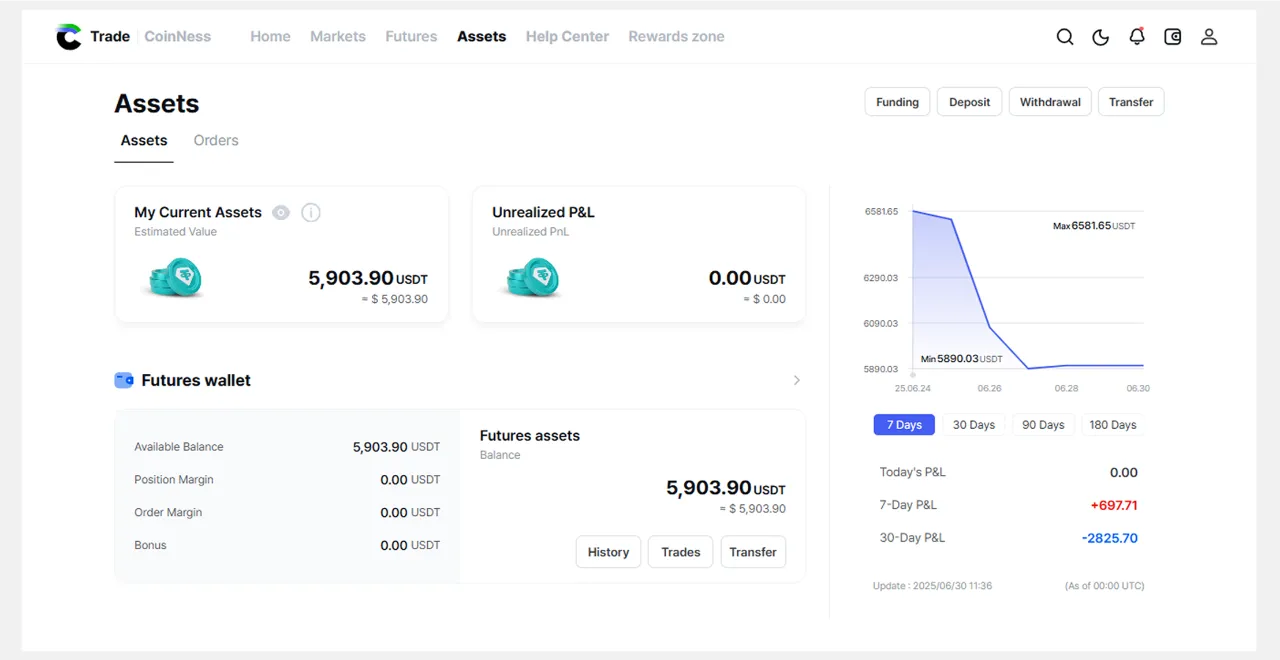 Assets page Structure
• My Current Assets
• Unrealized Profit and Loss
• Daily asset chart
• Futures Wallet Information
[App] How to check my Assets?
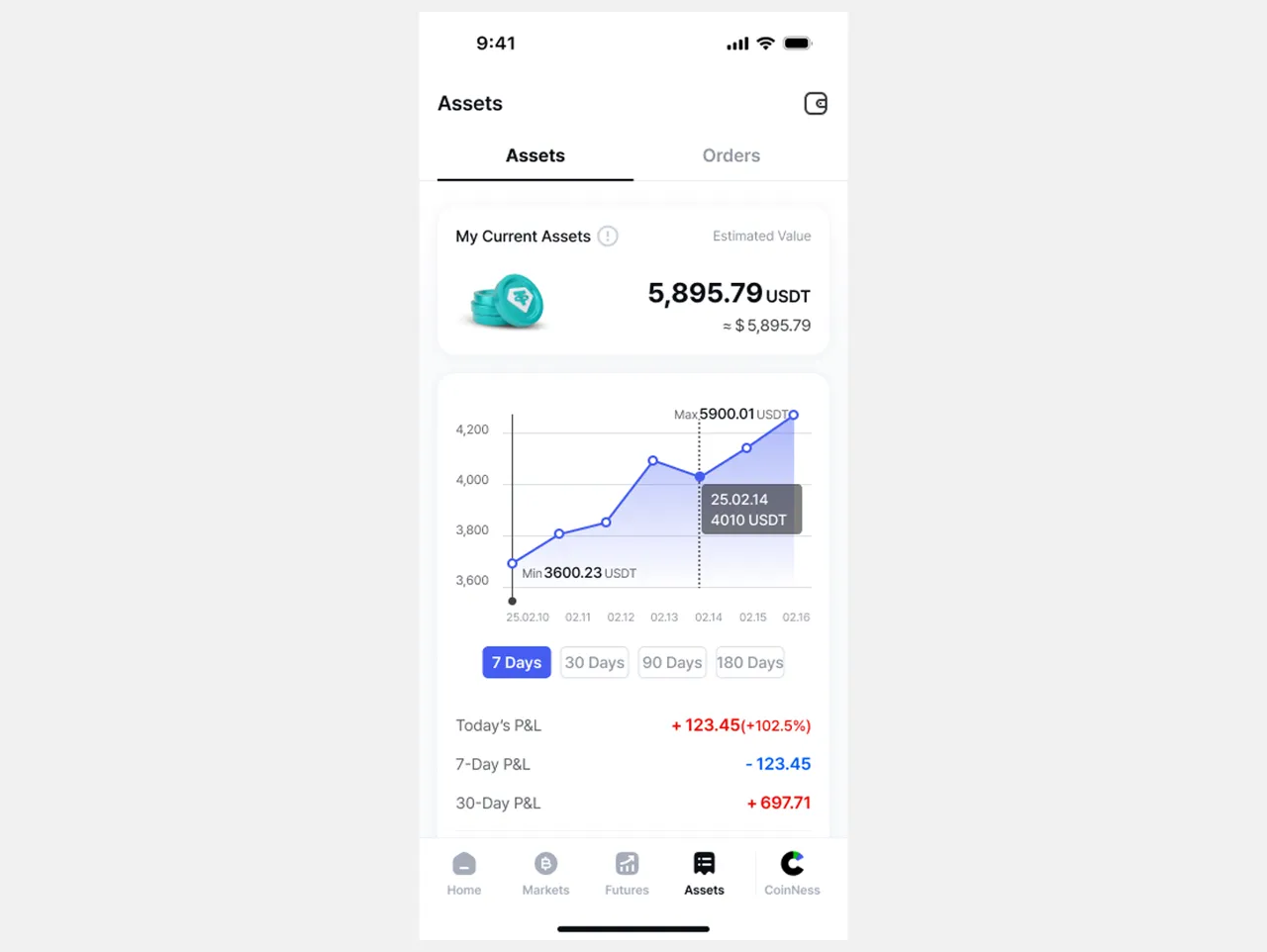 My Current Assets
My Current Assets (Estimated Value ) section allows you to view the total valuation of your futures assets. The total value is recalculated every minute and is automatically updated.
💡 Futures total equity = Futures wallet balance + unrealized profit/loss amount
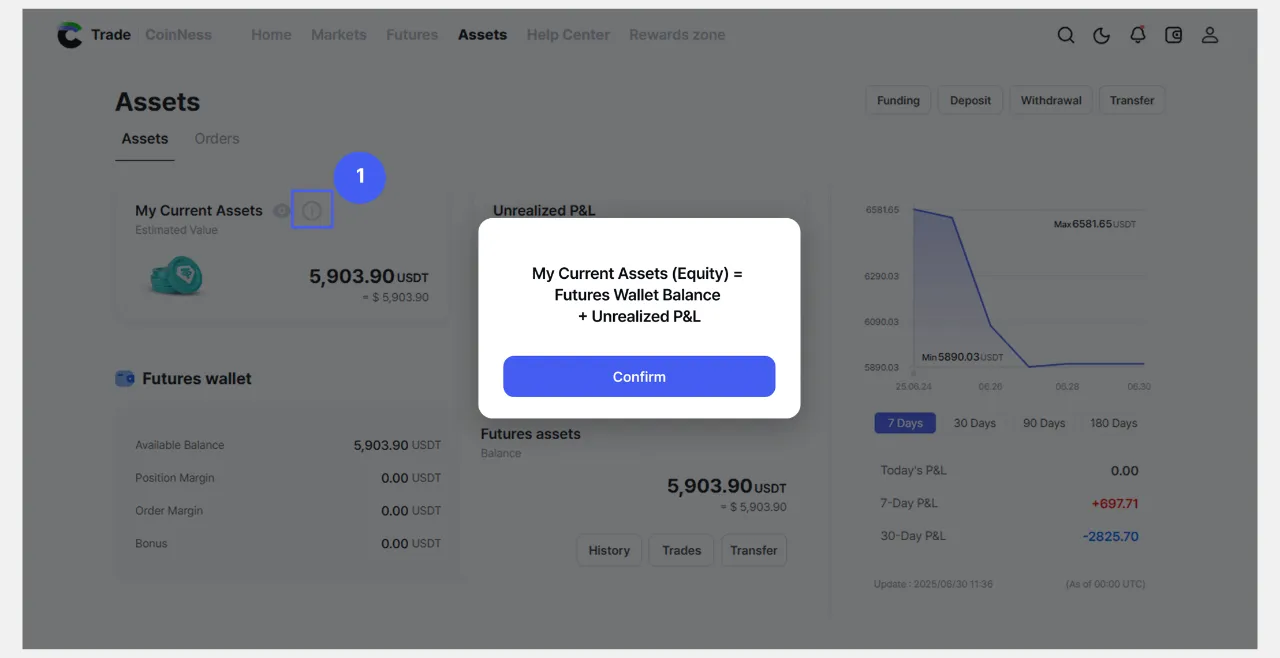
⚠️Futures assets are segregated and managed separately from funding wallet assets. You need to transfer funds from your funding wallet to your futures wallet in order to trade.
|
Unrealized Profit & Loss
Unrealized P&L refers to the potential profit or loss from a position you are currently holding. Because you haven't yet closed or liquidated your position, it's not actually a finalized profit and will continue to fluctuate with the market price. The amount of your unrealized P&L is recalculated every minute and automatically refreshes.
❓ Difference between Unrealized P&L and Realized P&L
◦ Unrealized P&L : A provisional profit/loss that occurs when a position has not yet been closed.
◦ Realized P&L: The profit/loss that is finalized by closing a position
Daily Asset Chart
The daily asset chart is a graph that visually shows how the asset balance in your futures account has changed over time.
This chart can help you understand at a glance how your account is performing, how your assets have increased or decreased, and how they relate to market volatility.
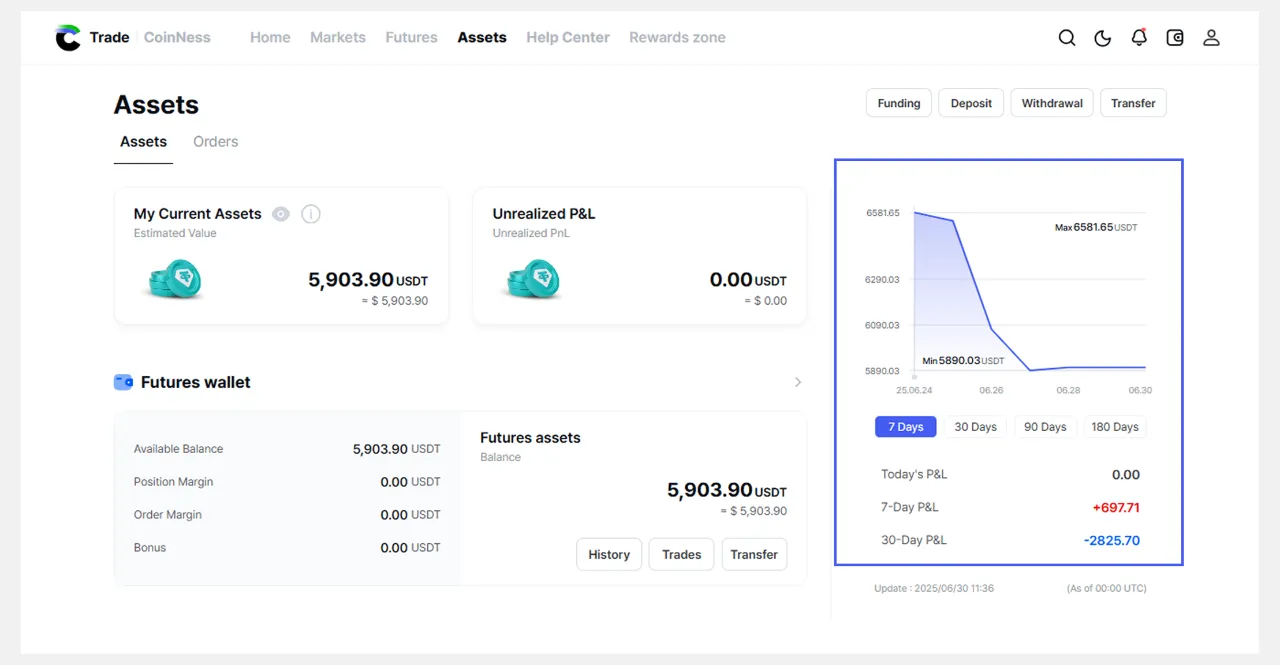
• Daily assets are calculated and reflected as of UTC 00:00.
• Today's P&L: P&L value calculated after 00:00 UTC for the day
• 7-day P&L: P&L value over the last 7 days
• 30-day P&L: P&L value over the last 30 days
Futures Wallet
This is a dedicated wallet where you set aside and manage the assets you use to trade futures.
It is separate from the Funding wallet and is where you use margin to open or maintain futures positions.
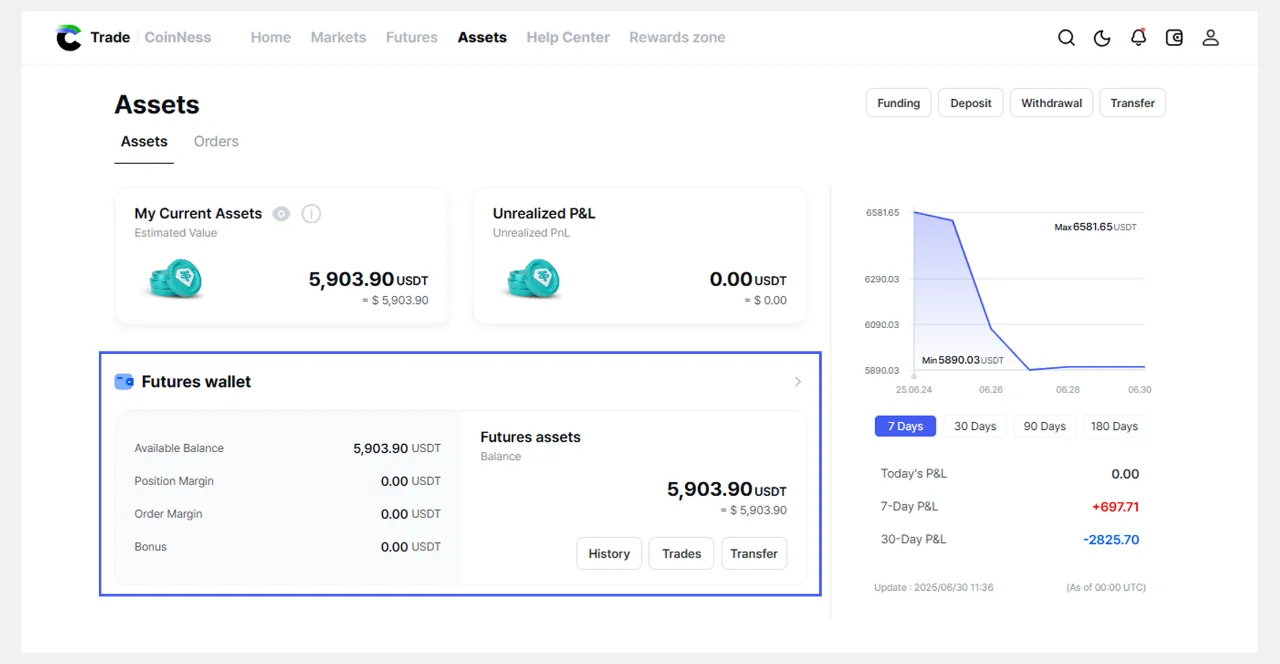
| Available Balance | Balance available for margin |
| Position Margin | Margin currently being used for open positions |
| Order Margin | The amount you have available due to open orders |
| Bonus Funds | Bonus funds you have |
Asset History
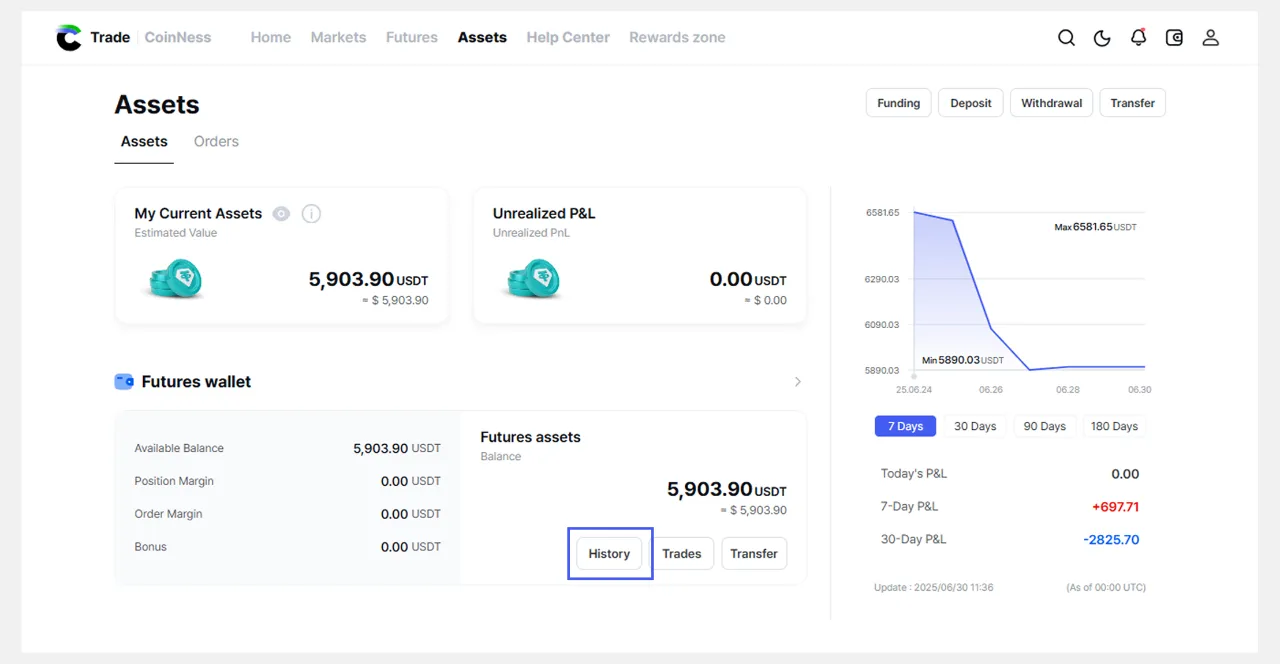
1. On [Assets] page, select History.
 2. On the History page, you can view the history of your futures assets.
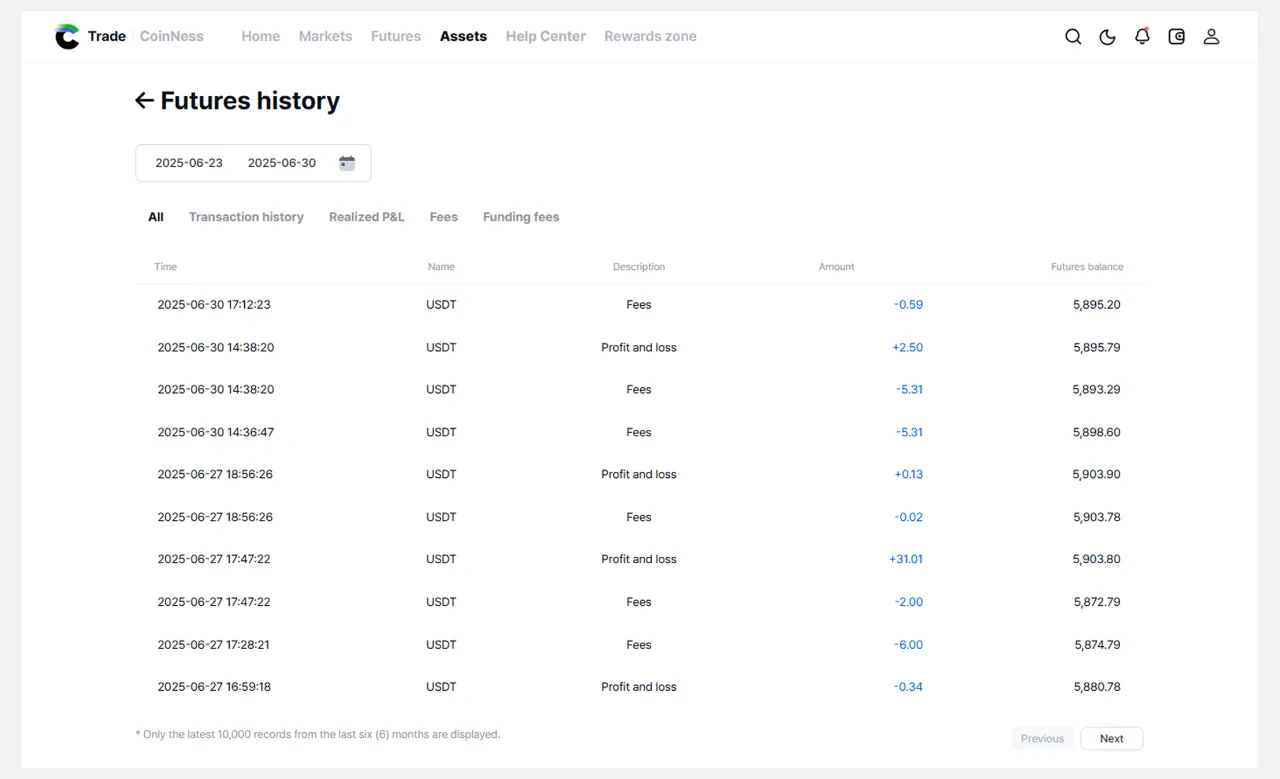
| All | All asset history, including bonuses |
| Transaction History | Transfers between funding and futures wallets |
| Realized P&L | Position entry, exit, and closure history |
| Fees | All fees other than funding fees (e.g., transaction fees) |
| Funding Fees | Funding Fees |
📄 Related Articles
→ Guide to wallet types: Funding wallets and futures wallets