How to share Profit and Loss?
What is Profit and Loss sharing?
Profit and loss sharing feature allows traders to share their actual profit or loss history within Coinness or to external channels.
[Web] How to share profit and loss - Method 1
If the position is open:
1. On the [Futures] page, click the Share icon for the position you are currently holding on the Positions tab.
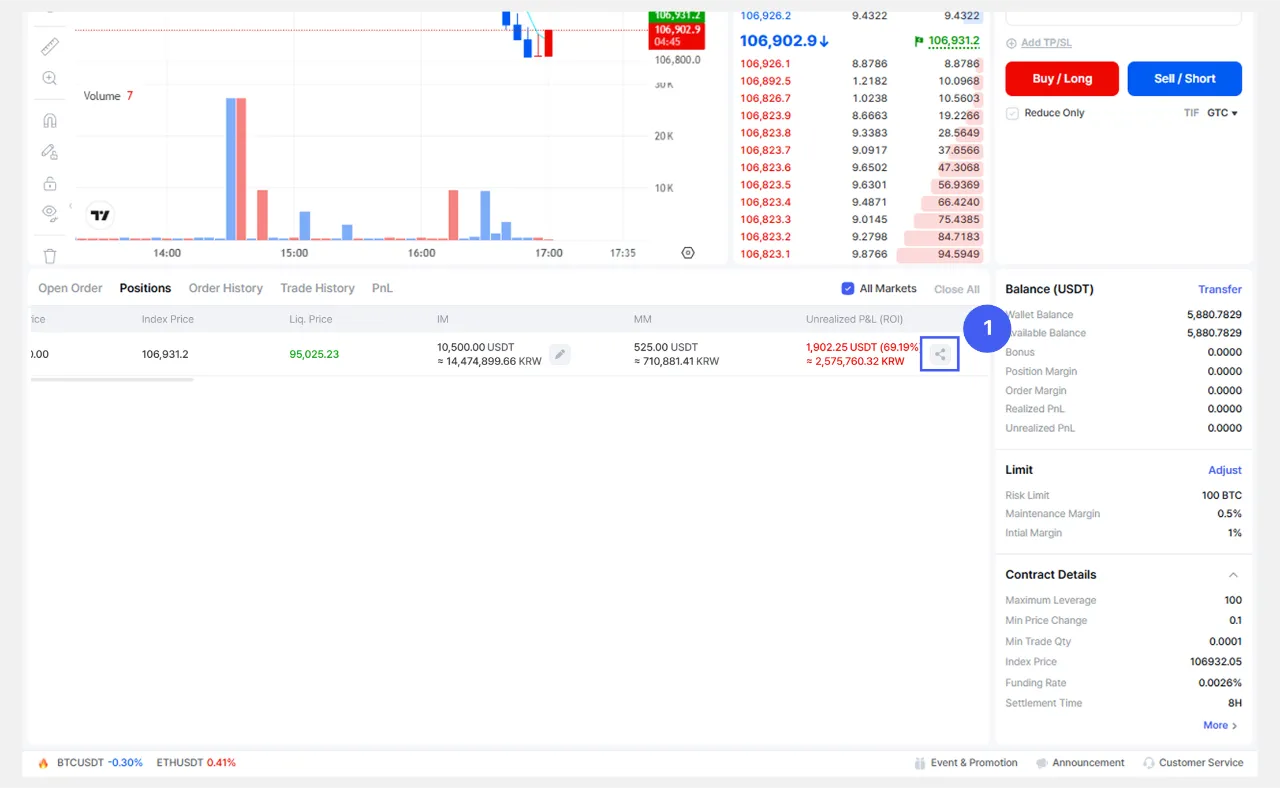
2. Share your profit or loss using the method of your choice.
[Web] How to share profit and loss - Method 2
If the position is closed:
1. On the [Futures] page, click the Share icon for a closed position on the [P&L] tab.
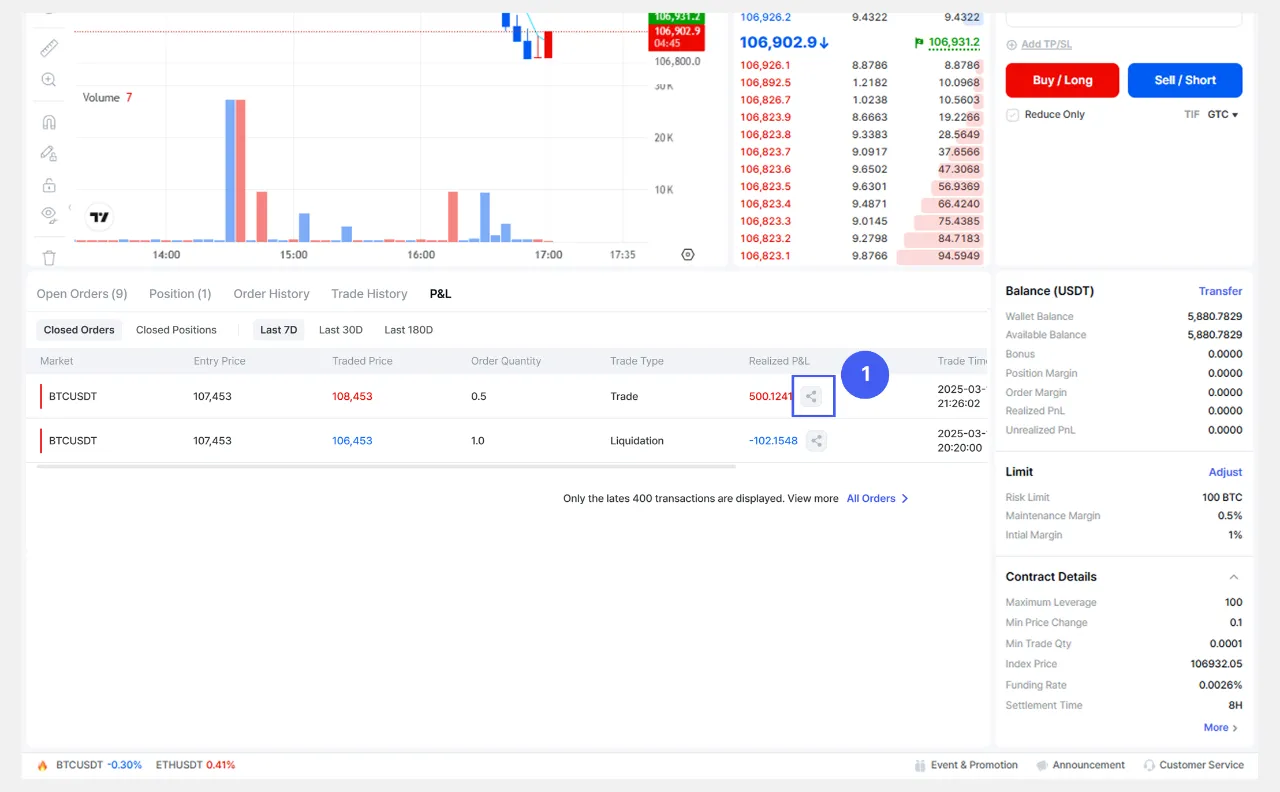
2. Share your profit or loss using the method of your choice.
[App] How to share profit and loss - Method 1
If the position is open:
1. On the [Futures] page, go to the [Trade] tab and select the Share icon for an open position on the bottom [Positions] tab.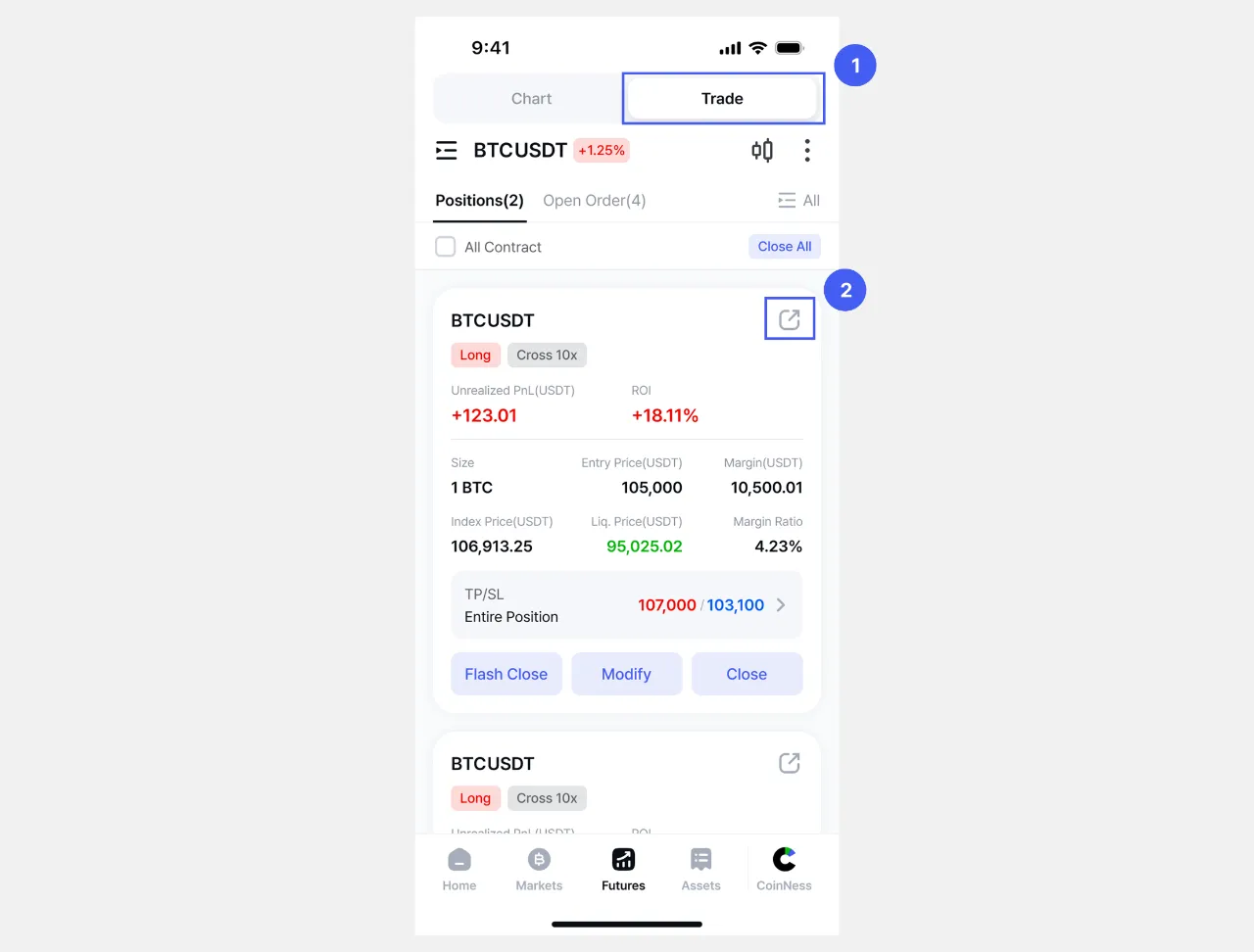
2. Share your profit or loss using the method of your choice.
[App] How to share profit and loss - Method 2
If the position is closed:
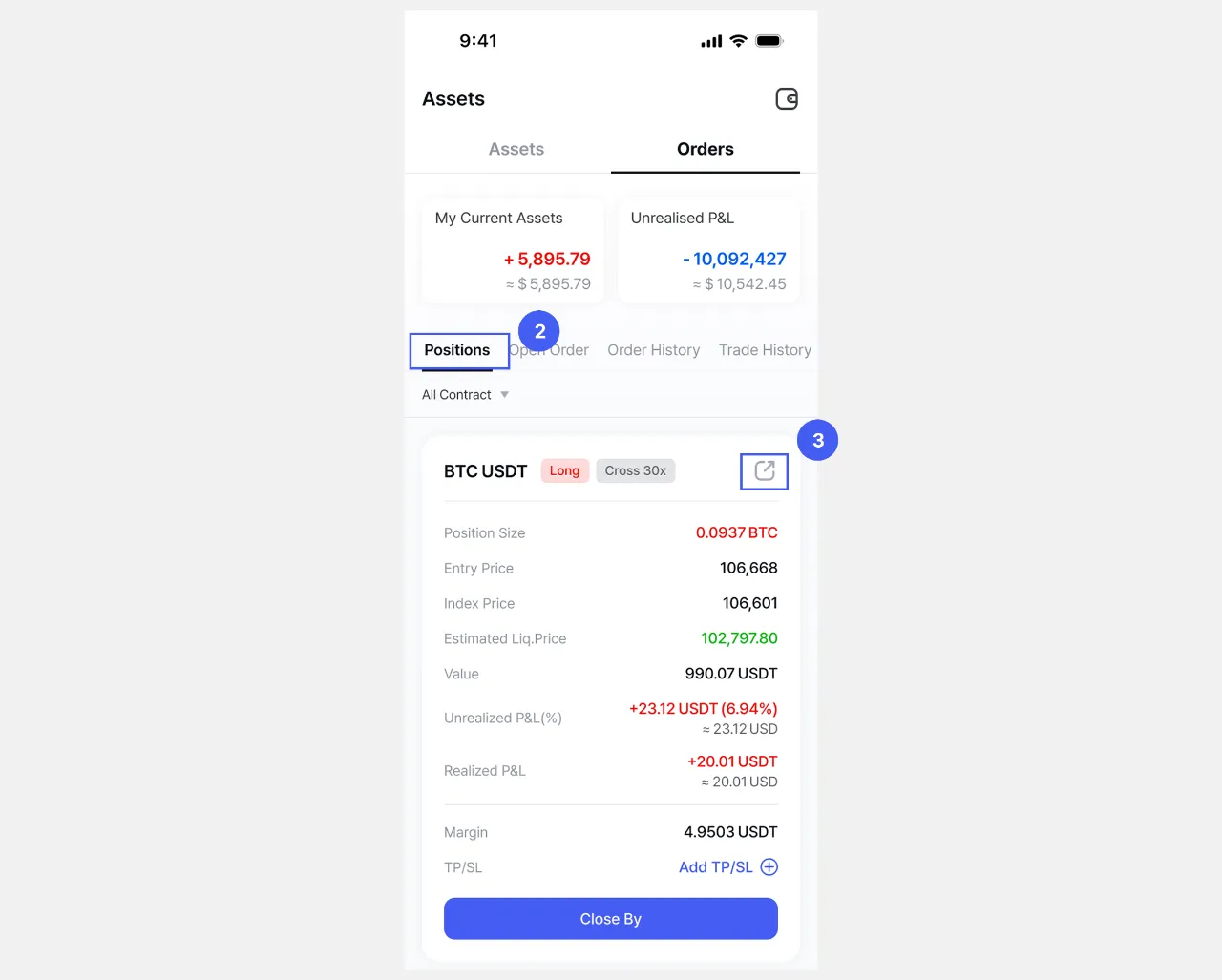
1. On the [Assets] page, navigate to the [Orders] tab.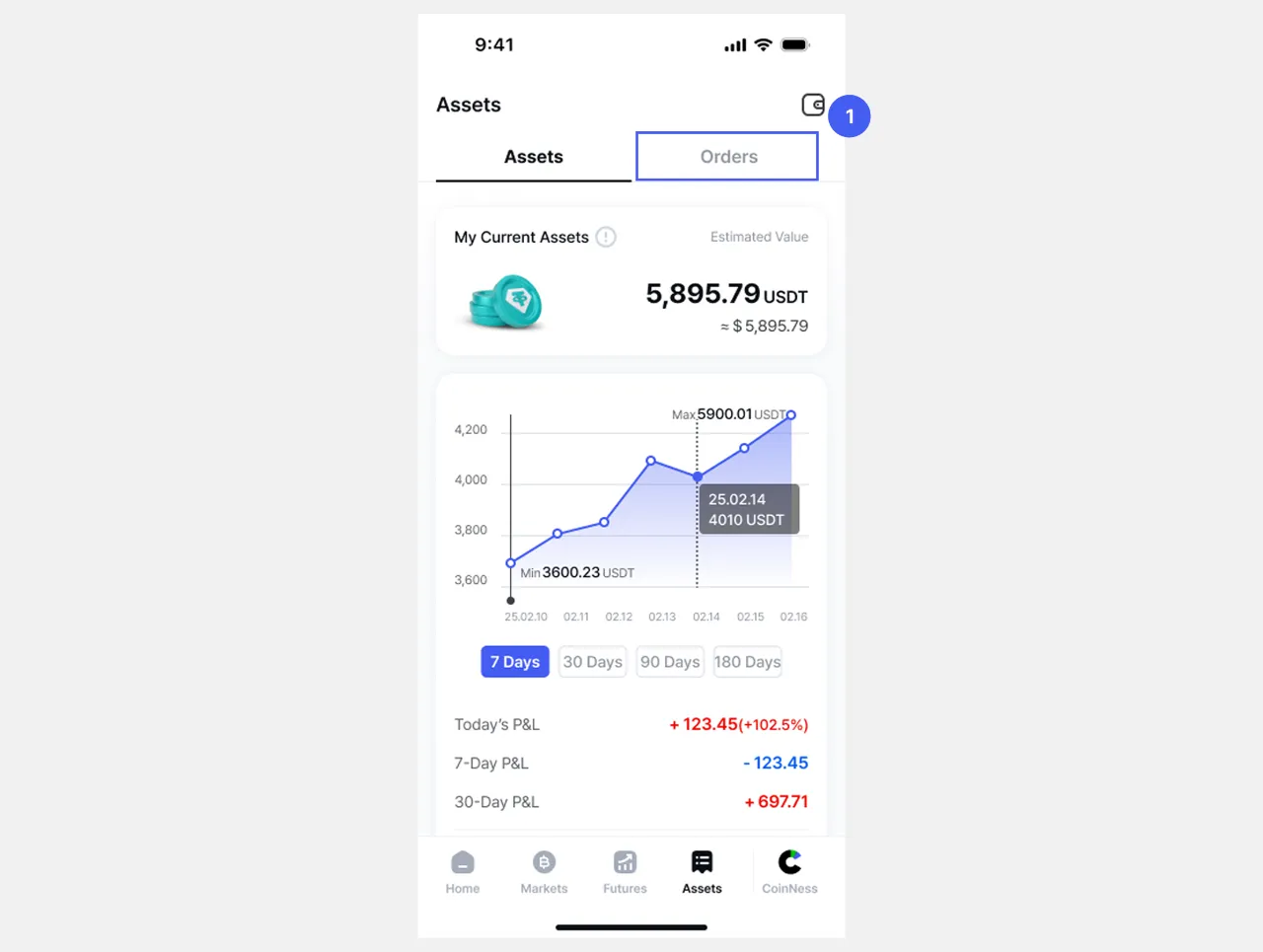
2. On the [Positions] tab, select the Share icon on the card with the details of the closed position to share the profit or loss using the method of your choice.